


Quick Answers:
- Preview tiles disappeared from your feed? Update the app, clear cache, log out and back in.
- Want to preview a story without being seen? Use the half-swipe technique or airplane mode.
- Story preview in feed not showing? This is usually a bug — app update fixes it in most cases.
Instagram story previews can refer to two different things depending on what you are looking for. This guide covers both clearly.
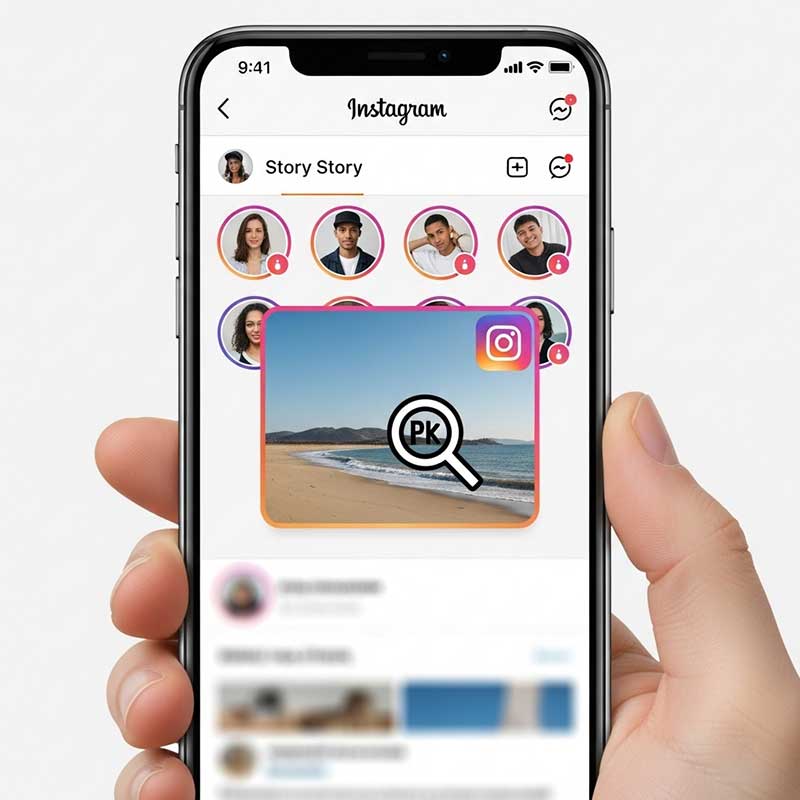
Ways to See Instagram Story Previews
| Method | How It Works | Anonymous? |
|---|---|---|
| Story tray in feed | Profile circles at top of feed show new stories | No — opening registers a view |
| Half-swipe technique | Swipe gently between stories without fully opening | Usually yes if careful |
| Airplane mode | Load stories, disconnect, view offline | Usually yes |
| Third-party apps | Anonymous story viewer tools | Yes but privacy risk |
| Browser extensions (PC) | Chrome extensions for story viewing | Yes |
Instagram Story Preview Tiles Disappeared or Not Showing

If the small preview images or circles at the top of your Instagram feed have disappeared, this is a common bug that usually affects users after an app update or a server-side change from Instagram.
Why Instagram Story Preview Tiles Disappear
- Instagram rolled out a UI change or A/B test that removed or altered the preview format
- A bug in the current app version is affecting the story tray display
- A cache or data issue is preventing the feed from loading correctly
- Your internet connection was unstable when the app loaded
How to Fix Instagram Story Preview Tiles Not Showing
- Update the Instagram app. Go to the App Store or Google Play, search for Instagram, and install any available update. This fixes most display bugs.
- Restart your phone. A simple restart clears temporary memory and often resolves display issues.
- Clear Instagram cache. On Android: go to Settings, find Instagram under Apps, tap Storage, and tap Clear Cache. On iPhone: offload and reinstall the app.
- Log out and log back in. Go to your profile, tap the menu, scroll down, and tap Log Out. Then log back in.
- Uninstall and reinstall Instagram. Your data is stored in the cloud, so reinstalling is safe and often fixes persistent display problems.
- Check your internet connection. Stories need a strong connection to load preview thumbnails. Try switching between Wi-Fi and mobile data.
If none of these work, it may be an Instagram-side change affecting your account or region. Check Instagram’s official channels for any announcements about feed design changes.
What Are Instagram Story Preview Tiles?
Instagram story preview tiles are the small circular profile photos or thumbnail previews that appear in the story tray at the top of your feed. They show you which accounts have posted new stories. When you tap one, the story opens and you are registered as a viewer.

How to Preview Instagram Stories Without Being Seen

If you want to see someone’s story without them knowing you watched it, these methods can help — though none are 100% guaranteed due to ongoing Instagram updates.
Method 1: The Half-Swipe Technique
- Open Instagram and go to your home feed
- Tap on the story next to the one you want to preview
- Slowly swipe toward the target story without fully releasing
- You can see the edge of the story without it fully loading
- Release back to the previous story to avoid registering a view
This method is not perfectly reliable and depends on the Instagram version you are using. Always practice on a friend’s story first.
Method 2: Airplane Mode
- Open Instagram and let the story tray load fully
- Do not tap any stories yet — wait for them to buffer
- Turn on Airplane Mode on your device
- Now open the story and view it while offline
- Close the Instagram app completely before turning off Airplane Mode
- The view should not register, but this is not always reliable on newer app versions
Method 3: Third-Party Story Viewer Apps
Some apps and websites let you view public Instagram stories without logging in or being registered as a viewer. These work only for public accounts.
Important warnings before using any third-party tool:
- Never enter your Instagram password in any third-party app
- Only use tools that work without your account login
- Avoid new or unknown apps with few reviews
- These services only work on public accounts
Method 4: Browser Extensions (PC)
Chrome extensions for Instagram story viewing let you browse stories anonymously from a desktop browser. Search the Chrome Web Store for story viewer extensions and read reviews carefully before installing.
Instagram Story Preview on iPhone and Android
- iPhone: Use the half-swipe or airplane mode method. For story viewer apps, check the App Store.
- Android: Both methods work similarly. Clear cache from Settings if tiles are not showing.
- PC: Use browser extensions or web-based story viewer services for anonymous viewing.
Why Do Story Preview Tiles Sometimes Show Up and Sometimes Not?
Instagram regularly tests UI changes across different users and regions. Some users see preview thumbnails on their story tiles, while others see only profile circles. This inconsistency is usually due to Instagram’s A/B testing rather than a bug in your app. In most cases, it resolves on its own or after an app update.
What Is the Difference Between a Story Preview and a Full Story View?
| Type | What Happens | View Registered? |
|---|---|---|
| Tapping and opening a story | Story plays fully | Yes — name appears in viewer list |
| Half-swipe technique | Edge of story visible | Usually no |
| Airplane mode viewing | Story plays while offline | Usually no if app closed before reconnecting |
| Third-party viewer | Story viewed through external tool | Usually no for public accounts |
Troubleshooting Instagram Story Preview Issues

Story preview tiles gone after an update
Update the app again if a newer version is available, or wait for Instagram to push a fix. This is almost always resolved within a few days.
Half-swipe not working
Instagram has made this technique less reliable in newer versions. It may still work on older app versions or specific devices.
Airplane mode view still registered
Make sure you close the app completely before turning off airplane mode. If the app is still running in the background, the view may sync when you reconnect.
Story preview in feed not loading
This is almost always a connection or cache issue. Switch networks and clear the app cache.
FAQ
Why did my Instagram story preview tiles disappear?
This is usually caused by an Instagram app update, a UI test, or a display bug. Update the app, clear cache, and log out then back in to restore them in most cases.
How to see Instagram story preview in feed?
The story tray at the top of your feed shows preview circles for new stories. If they are not appearing, update the app and clear the cache.
How to preview Instagram stories without viewing them?
Use the half-swipe technique by swiping toward a story without releasing, or use airplane mode by loading stories first and then disconnecting before opening.
Why can’t I see story previews anymore?
Instagram may have changed the feed layout in your app version, or there is a bug causing the tray not to display. Updating the app and clearing the cache usually fixes this.
Instagram story preview tiles not showing — how do I fix it?
Update Instagram, clear the app cache, restart your phone, and log out then back in. If the problem continues, uninstall and reinstall the app.
How to preview an Instagram story before posting?
While creating your story, tap the small preview at the bottom left of the editor to see how it will look. You can also tap through the story before tapping Share.
Is it safe to use third-party apps to view Instagram stories anonymously?
Only use tools that do not require your Instagram login. Never enter your password in any third-party app. Use well-reviewed options only and only for public accounts.
Can Instagram tell if I used airplane mode to view a story?
Instagram cannot detect airplane mode directly, but if the app syncs before you close it, the view may still register. Always close the app before turning airplane mode off.
Related articles:
- How to know if someone blocked you from their Instagram story
- If I hide someone from my story, can they see my highlights?
- Why do my Instagram story highlights keep disappearing?
- Why did my Instagram story disappear before 24 hours?
- What happens if you block someone after viewing their story?
4 Responses
Does anyone know how to see preview of Instagram story without the other person knowing? I’m always worried I’ll accidentally open it.
Hi Emily! The swipe technique and airplane mode are the safest ways to do that. Just be careful not to swipe all the way. The article breaks down the steps for both methods.
This is a great guide for anyone who wants to preview Instagram stories. I never thought to use a browser extension on my PC before. Thanks for the tip!
I’ve been trying to figure out how to see Instagram story preview in feed. This guide was super helpful, especially the part about the swipe technique!